Author

Hull Folden

Browsing

There was a time when a well-written product page and a handful of good photos were enough to earn a customer’s trust. That bar has quietly moved. Today, a growing share of potential customers, across nearly every industry, actively look for video before making a decision – and businesses without it are increasingly competing at a disadvantage they may not even realize they have.

What Changed

The shift isn’t really about video becoming more popular as entertainment – it’s about video becoming the fastest way to answer the questions a buyer actually has before committing. What does this product actually look like in use? What does this service visit actually involve? Do real customers actually trust this business? Text and static images can answer these questions eventually, but video answers them almost instantly, which matters enormously in an attention environment where most buyers are comparing several options at once and won’t invest much time in any single one.

This expectation has become self-reinforcing. As more businesses adopt video, the ones without it stand out for the wrong reason – their absence starts to read as either behind the times or, worse, as though they have something to hide by not showing the real product or process clearly.

The Types of Video That Actually Drive Decisions

Product and process demonstration. Watching how something actually works removes uncertainty in a way written specifications rarely can. This matters most for anything with a learning curve or a physical component a buyer can’t fully evaluate from photos alone.

Genuine customer testimonials. Scripted, overly polished testimonials tend to be viewed with more skepticism than they earn trust. Authentic, specific, slightly imperfect testimonials – real customers describing a real problem and how it actually got solved – consistently outperform polished corporate messaging for building trust.

Behind-the-scenes and process transparency. Showing how a product gets made, how a service team actually operates, or what a facility genuinely looks like builds a kind of trust that polished marketing content alone can’t replicate – it signals nothing is being hidden.

Explainer content. For complex offerings, a well-produced explainer removes the burden from the customer of piecing together understanding from scattered text, and gives the business control over exactly what gets emphasized and in what order.

Why Production Value Matters Less Than People Assume

A common hesitation businesses have about video is assuming it requires expensive, highly polished production to be worth doing. In practice, relevance and authenticity consistently outperform pure production polish, particularly on social platforms where audiences have grown accustomed to – and often prefer – a more genuine, less obviously produced look. A slightly rough but genuinely useful and honest video frequently outperforms an expensive, overly corporate one that feels more like an advertisement than useful information.

This doesn’t mean production quality is irrelevant – poor audio, shaky footage, or unclear visuals genuinely hurt credibility. It means the bar is “clear and professional,” not “cinema-grade,” and businesses that wait for a bigger budget before starting are usually leaving an accessible opportunity on the table in the meantime.

Where Video Fits Across the Buying Journey

Video isn’t a single-purpose tool – it plays different roles depending on where a customer is in their decision process:

  • Early awareness: short, attention-grabbing content that introduces a problem the audience already has
  • Consideration: demonstration and explainer content that shows how the offering actually solves that problem
  • Decision: testimonials and detailed comparisons that resolve remaining hesitation
  • Post-purchase: onboarding and how-to content that improves the experience and reduces support burden

Businesses that only use video for the early-awareness stage – flashy ads with no supporting content further down the journey – often see engagement without a proportional lift in actual conversions, because the trust-building and hesitation-resolving work never happens in a format the buyer is now expecting.

Industries Where Video Has Become Close to Mandatory

Automotive is one of the clearest examples – buyers increasingly expect walkaround videos, feature demonstrations, and transparent condition reports before ever visiting a dealership in person, which is a major reason video content has become central to how an automotive digital marketing agency approaches inventory marketing; a listing without video increasingly reads as less trustworthy by comparison to one that includes it, regardless of the actual condition of the vehicle itself.

For businesses producing this kind of content, working with a team that understands both production and marketing strategy tends to produce noticeably better results than production alone. Businesses evaluating an explainer video company are usually looking for exactly this combination – not just someone who can shoot and edit competently, but someone who understands how the finished video needs to actually function inside a broader marketing funnel.

The Cost of Waiting

Every quarter a business delays adopting video, the gap between customer expectation and what’s actually being offered widens slightly further, since the overall bar keeps rising across every industry simultaneously. Businesses that start now, even modestly, tend to build a meaningful content advantage over competitors who keep waiting for the “right moment” that, in practice, keeps receding as the standard keeps climbing.

Where Video Content Should Live, Beyond the Obvious Platforms

Social media is the most obvious home for video content, but it’s rarely the only place it should appear. Embedding relevant video directly on product and service pages measurably improves time on page and conversion, since it gives undecided visitors a lower-effort way to get the information they need without reading extensively. Video also performs well in email campaigns and can support customer service by answering common questions visually rather than through repeated written explanations that support teams end up typing out individually, again and again, for slightly different customers asking the same underlying question.

Repurposing One Production Into Many Assets

A single, well-planned video shoot rarely needs to produce just one final video. A longer testimonial or demonstration session can typically be cut into a full-length version for a website, several shorter clips for social platforms, and even still images pulled from the footage for use elsewhere. Businesses that plan for this kind of repurposing from the start – rather than treating each new marketing need as a reason for an entirely new shoot – get considerably more value from the same production investment, which meaningfully changes the economics of committing to video as an ongoing part of a marketing plan rather than an occasional one-off project.

The Bottom Line

Video has shifted from a marketing nice-to-have to something close to a baseline expectation, because it answers the questions buyers actually have faster and more convincingly than any other format. Businesses that treat it as core infrastructure – not a one-off project – tend to build a trust advantage that compounds over time, while those still relying purely on text and static images increasingly compete at a disadvantage they may not fully see from the inside.
Priorities decide the order in which a product speaks to its users, and that order rarely gets set by guesswork. Before any interface takes shape, UX agencies work out whose needs come first, because a product built without that ranking tends to serve everyone a little and no one well. Web3 ai design agencies feel this pressure early, since a wallet connection screen, a staking dashboard, and an automated trading assistant each pull a different type of user toward a different kind of urgency. One group wants speed, another wants reassurance before committing to an action, and a design that tries to satisfy both usually satisfies neither.

User priority mapping

Mapping decides who the product listens to first. It starts from a simple fact: a product can’t serve every user’s need equally, so agencies treat that as a given rather than something to fix later. The early work is about figuring out who actually touches the product and where they are in their journey. Someone landing on the product for the first time needs orientation, while someone coming back for the fifth time wants speed, and a design that blurs this difference ends up half-serving both.

Ranking user segments

Ranking decides how much weight each group carries once the mapping is done. Not every segment pulls the same influence, and agencies rarely pretend otherwise. A small group that uses the product constantly can end up mattering more than a much larger group that only shows up occasionally, especially when the product depends on people coming back rather than using it once. A few checks usually guide this weighting:

  • Frequency of interaction across a defined period.
  • Complexity of the task the segment performs.
  • Consequence of failure for that specific user group.
  • Overlap with other segments already prioritised.

Resolving priority conflicts

Conflicts test whether the ranking actually holds once two segments want different things from the same screen. Sorting that out without a rule usually leads to inconsistent decisions across the same product. One segment wants things faster, another wants more confirmation before acting, and both can’t have the same screen shaped around them.

The way agencies usually handle this is by weighing the conflict against what the product actually needs to do, not against which group prefers what. So a confirmation step that slows one segment down might stay exactly where it is, if removing it means more errors for a segment doing something higher stakes. It’s less about keeping more people happy and more about deciding which failure the product genuinely can’t afford.

Testing priorities early

Testing checks whether the resolved priorities survive contact with a real user, and it’s the last step before anything moves toward production. It usually happens through something small, a prototype or a rough flow, rather than a full build, which is often enough to show whether a priority that looked solid on paper actually holds up once a real person starts using it.

Testing at this stage often changes the ranking established earlier. A group assumed to need speed may instead ask for more context, shifting the design toward clarity over brevity. Agencies treat this feedback as expected input rather than a signal that earlier research failed. Priority never really settles into something fixed. It shifts as mapping meets ranking, as ranking meets conflict, and as conflict meets a real user who behaves nothing like the research predicted, so the sequence exists to catch that drift before it reaches production rather than after.

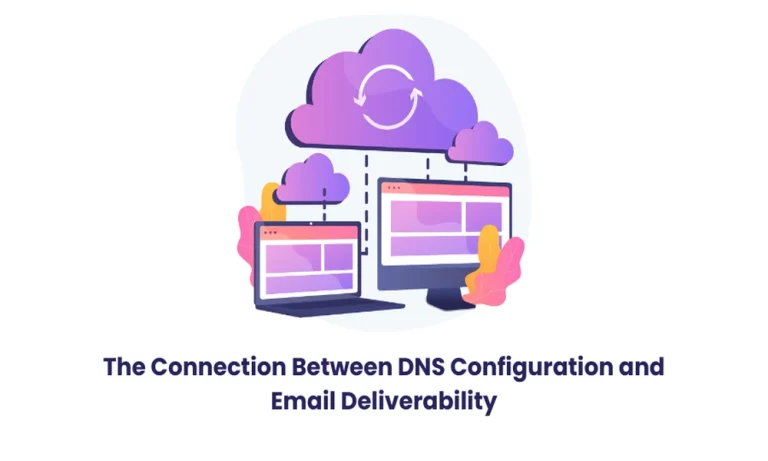
Two companies can send identical emails on the same day, and only one of them reaches the inbox. The difference usually has nothing to do with the message itself. The real answer often traces back to a handful of DNS records that most people never look at. For anyone running professional email services, these records determine whether a message reaches its destination or disappears before a reader ever sees it.

DNS configuration is often overlooked as a minor technical detail located inside a control panel, but it plays a direct role in whether a domain builds trust with mail servers across the internet. Business email service providers rely on these same records to authenticate outgoing messages and confirm a sender is legitimate. Without them, even a well-written email risks never being read.

How does DNS work for email?

Every email carries more information than the subject line and body suggest. Behind that message travels a set of DNS records that tell the receiving servers who sent it, whether it was tampered with in transit, and whether the sending domain has a history worth trusting. Mail servers check these records within milliseconds, deciding a message’s destination before a human ever opens their inbox. A domain with clean, complete records earns a smoother path into the inbox, while one with gaps starts every send at a disadvantage.

SPF Records and Sender Verification

An SPF record lists every server permitted to send mail on behalf of a domain. If a receiving server sees an email coming from an address that isn’t listed, it treats the message as suspicious and often sends it straight to spam. SPF only works when every legitimate sending source is listed correctly, marketing platforms and CRM tools included, not just the primary mail server.

DKIM and Message Integrity

DKIM adds a unique digital signature to every outgoing email, allowing the recipient’s mail server to verify that the message has not been altered during transit. Destination servers match this signature against a public key published in DNS. A mismatch signals tampering, and the message loses credibility instantly. Domains without DKIM configured send messages that appear unverified by comparison, even when nothing is actually wrong with them.

DMARC and Inbox Trust

DMARC ties SPF and DKIM together and tells receiving servers what to do when a message fails: either check it, reject it, quarantine it, or deliver it anyway. Domains without a DMARC policy leave that decision to the receiving server’s judgment, which varies significantly between providers. A properly configured DMARC record removes that guesswork and gives senders real influence over delivery outcomes, instead of leaving the success of every campaign up to individual mail providers.

Reverse DNS and IP Reputation

Reverse DNS maps an outbound IP address to a specific domain name, and the absence of this record prompts strict validation filtering by recipient mail servers. Industry data suggests a meaningful share of authentication failures trace directly back to missing or mismatched reverse DNS records. It is a smaller detail compared with SPF or DKIM, yet it still shapes reputation over time, especially for domains sending high volumes of mail daily.

Common Misconfigurations that Hurt Deliverability

Duplicate SPF records, expired DKIM keys, and DMARC policies left in monitoring mode indefinitely are among the most frequent issues found during domain audits. Each one appears harmless individually, yet together they quietly damage a domain’s sending reputation. Reviewing DNS records every few months catches these problems long before they start affecting actual delivery rates and inbox placement. Small businesses without a dedicated IT team regularly encounter domain misconfigurations because administrative staff rarely modify the records after initial deployment.

Why consistent monitoring matters?

DNS records are not a configure-once routine. Mail providers regularly update their authentication requirements, and a policy that worked well two years ago may now fall short of current standards. Google’s bulk sender guidelines require domains exceeding five thousand messages a day to have SPF, DKIM, and DMARC properly configured for reliable inbox placement.

What Poor DNS Configuration Costs a Business?

A missing or outdated DNS record rarely shows up as an obvious error. Instead, open rates quietly decline, sales outreach goes unanswered, and support tickets escalate without explanation, while the actual cause remains unnoticed in a domain’s DNS settings. Marketing teams often spend weeks testing subject lines and send times before anyone checks whether the underlying authentication records are even correct.

How to Review and Correct DNS Records?

Checking DNS health does not require advanced tools. Most domain registrars and hosting dashboards display SPF, DKIM, and DMARC records directly, and free online checkers confirm whether each one is valid. MilesWeb provides free professional email accounts along with daily backups, giving businesses a foundation where authentication and message security are handled correctly from the start.

Concluding Insights

DNS may operate quietly in the background, but it decides whether a message reaches an inbox or disappears without a trace. Businesses that review SPF, DKIM, and DMARC on a regular basis protect years of sender reputation with very little ongoing effort. MilesWeb pairs this reliability with free professional email accounts and daily backups, making dependable delivery a built-in part of the service rather than an afterthought.

Handling these small technical details early builds a communication channel worth trusting for years ahead, one message at a time. A well-configured domain does not need constant attention once it is set up correctly, only a periodic check to confirm nothing has quietly drifted out of place.

Article image

Two companies can send identical emails on the same day, and only one of them reaches the inbox. The difference usually has nothing to do with the message itself. The real answer often traces back to a handful of DNS records that most people never look at. For anyone running professional email services, these records determine whether a message reaches its destination or disappears before a reader ever sees it.

DNS configuration is often overlooked as a minor technical detail located inside a control panel, but it plays a direct role in whether a domain builds trust with mail servers across the internet. Business email service providers rely on these same records to authenticate outgoing messages and confirm a sender is legitimate. Without them, even a well-written email risks never being read.

How does DNS work for email?

Every email carries more information than the subject line and body suggest. Behind that message travels a set of DNS records that tell the receiving servers who sent it, whether it was tampered with in transit, and whether the sending domain has a history worth trusting. Mail servers check these records within milliseconds, deciding a message’s destination before a human ever opens their inbox. A domain with clean, complete records earns a smoother path into the inbox, while one with gaps starts every send at a disadvantage.

SPF Records and Sender Verification

An SPF record lists every server permitted to send mail on behalf of a domain. If a receiving server sees an email coming from an address that isn’t listed, it treats the message as suspicious and often sends it straight to spam. SPF only works when every legitimate sending source is listed correctly, marketing platforms and CRM tools included, not just the primary mail server.

DKIM and Message Integrity

DKIM adds a unique digital signature to every outgoing email, allowing the recipient’s mail server to verify that the message has not been altered during transit. Destination servers match this signature against a public key published in DNS. A mismatch signals tampering, and the message loses credibility instantly. Domains without DKIM configured send messages that appear unverified by comparison, even when nothing is actually wrong with them.

DMARC and Inbox Trust

DMARC ties SPF and DKIM together and tells receiving servers what to do when a message fails: either check it, reject it, quarantine it, or deliver it anyway. Domains without a DMARC policy leave that decision to the receiving server’s judgment, which varies significantly between providers. A properly configured DMARC record removes that guesswork and gives senders real influence over delivery outcomes, instead of leaving the success of every campaign up to individual mail providers.

Reverse DNS and IP Reputation

Reverse DNS maps an outbound IP address to a specific domain name, and the absence of this record prompts strict validation filtering by recipient mail servers. Industry data suggests a meaningful share of authentication failures trace directly back to missing or mismatched reverse DNS records. It is a smaller detail compared with SPF or DKIM, yet it still shapes reputation over time, especially for domains sending high volumes of mail daily.

Common Misconfigurations that Hurt Deliverability

Duplicate SPF records, expired DKIM keys, and DMARC policies left in monitoring mode indefinitely are among the most frequent issues found during domain audits. Each one appears harmless individually, yet together they quietly damage a domain’s sending reputation. Reviewing DNS records every few months catches these problems long before they start affecting actual delivery rates and inbox placement. Small businesses without a dedicated IT team regularly encounter domain misconfigurations because administrative staff rarely modify the records after initial deployment.

Why consistent monitoring matters?

DNS records are not a configure-once routine. Mail providers regularly update their authentication requirements, and a policy that worked well two years ago may now fall short of current standards. Google’s bulk sender guidelines require domains exceeding five thousand messages a day to have SPF, DKIM, and DMARC properly configured for reliable inbox placement.

What Poor DNS Configuration Costs a Business?

A missing or outdated DNS record rarely shows up as an obvious error. Instead, open rates quietly decline, sales outreach goes unanswered, and support tickets escalate without explanation, while the actual cause remains unnoticed in a domain’s DNS settings. Marketing teams often spend weeks testing subject lines and send times before anyone checks whether the underlying authentication records are even correct.

How to Review and Correct DNS Records?

Checking DNS health does not require advanced tools. Most domain registrars and hosting dashboards display SPF, DKIM, and DMARC records directly, and free online checkers confirm whether each one is valid. MilesWeb provides free professional email accounts along with daily backups, giving businesses a foundation where authentication and message security are handled correctly from the start.

Concluding Insights

DNS may operate quietly in the background, but it decides whether a message reaches an inbox or disappears without a trace. Businesses that review SPF, DKIM, and DMARC on a regular basis protect years of sender reputation with very little ongoing effort. MilesWeb pairs this reliability with free professional email accounts and daily backups, making dependable delivery a built-in part of the service rather than an afterthought.

Handling these small technical details early builds a communication channel worth trusting for years ahead, one message at a time. A well-configured domain does not need constant attention once it is set up correctly, only a periodic check to confirm nothing has quietly drifted out of place.

The operations-first OT security partner advances the Discover. Assess. Protect. framework by extending trusted, agentless inspection into OT environments where physical inspection workflows are difficult to scale.

Taipei – June 30th, 2026 – TXOne Networks today announced Virtual Portable Inspector (vPI), a software-based addition to the Element inspection portfolio designed to extend OT inspection into environments where physical inspection is difficult to scale – including geographically distributed sites, assets without accessible USB interfaces or HMIs, and facilities where on-site inspection creates significant deployment overhead.

As industrial organizations expand operations across more sites, physical inspection workflows face increasing pressure to scale. Organizations need practical ways to validate device integrity, collect asset intelligence, and inspect for malware across distributed assets without requiring persistent software deployment or production disruption.

Regulatory frameworks are compounding the challenge. SEMI E187 raises expectations for asset inventory accuracy, device integrity validation, and inspection auditability across OT environments. These are requirements that are difficult to meet through periodic, manually coordinated inspection.

Like all Element inspection products, vPI requires no installation, no system reboot, and no system configuration changes – enabling organizations to inspect OT assets without triggering revalidation requirements, voiding vendor warranties, or impacting production workloads.

vPI builds on the same inspection technology that has been deployed in semiconductor manufacturing environments for more than two years through TXOne’s Fab Tool Scan program. In real-world deployments, this approach has reduced inspection cycle time – including malware scanning and asset intelligence collection – by 50% across high-throughput OT environments.

Through vPI, organizations can perform these inspection activities across connected and distributed environments – without installing software or interrupting production. Distributed and managed through ElementOne, vPI scales across hundreds of endpoints from a single console. Built on the same trusted inspection technology that powers Portable Inspector, vPI extends TXOne’s proven inspection model into the connected and distributed parts of the OT environment.

The Element portfolio is designed around inspection, validation, and integrity assessment workflows for environments where persistent endpoint deployment may not be operationally feasible. vPI extends this model across distributed OT environments. For organizations on TXOne Complete, vPI’s inspection data also flows into SenninOne – TXOne’s cross-product governance platform that aggregates security intelligence across the broader OT environment, alongside ElementOne’s per-product management.

“For most OT environments today, inspection happens once a year during scheduled maintenance – or once a quarter at best,” said Dr. Terence Liu, CEO of TXOne Networks. “vPI lets organizations run that same trusted inspection across every connected OT asset weekly, or even daily, without dispatching technicians or disrupting production. That’s a step change in how often we know our OT environment is still trustworthy.”

Purpose-built for production-critical OT environments

vPI is purpose-built for environments where production continuity and deployment flexibility are critical – its software-only design extends inspection into scenarios where physical inspection is difficult to scale.

By reducing dependency on physical logistics and on-site inspection, vPI shifts inspection from periodic, event-driven cycles – annual maintenance outages or quarterly inspection windows – to recurring, software-driven validation that can run weekly or daily without additional headcount. The result is a step change in inspection coverage: from a handful of cycles per year to continuous validation across the asset inventory, narrowing the window in which a compromised or drifted asset can go undetected.

With vPI, industrial organizations gain a complete operational inspection strategy that advances the Discover. Assess. Protect. framework across the OT environment – from periodic asset onboarding through to recurring operational visibility and continuous device integrity assessment across connected, distributed environments.

Availability: TXOne Virtual Portable Inspector will be available in mid-July 2026 through TXOne Networks and its global partner network.

About TXOne Networks

TXOne Networks is the operations-first OT security partner. Since its founding, TXOne has focused exclusively on operational technology, helping organizations protect critical infrastructure while keeping production running. Purpose-built for industrial environments, TXOne enables organizations to discover their assets, assess risks in context, and protect operations without compromising productivity or safety.

www.txone.com

Media Contact

Company Name: TXOne

Contact Person: Media Relations

Email: coco_chang@txone.com

City: Taipei

Country: Taiwan

Website: https://www.txone.com